Ask about your business data
Choose who answers, spell out the period, and read what Nalar tells you when data is missing.
Nalar answers data questions through your Agents, using the data and documents each one can read. This page covers how to choose the Agent, how Nalar reads dates, and how to phrase a question so the answer matches what you meant.
Auto or a specific Agent
The selector next to the send button decides who answers.
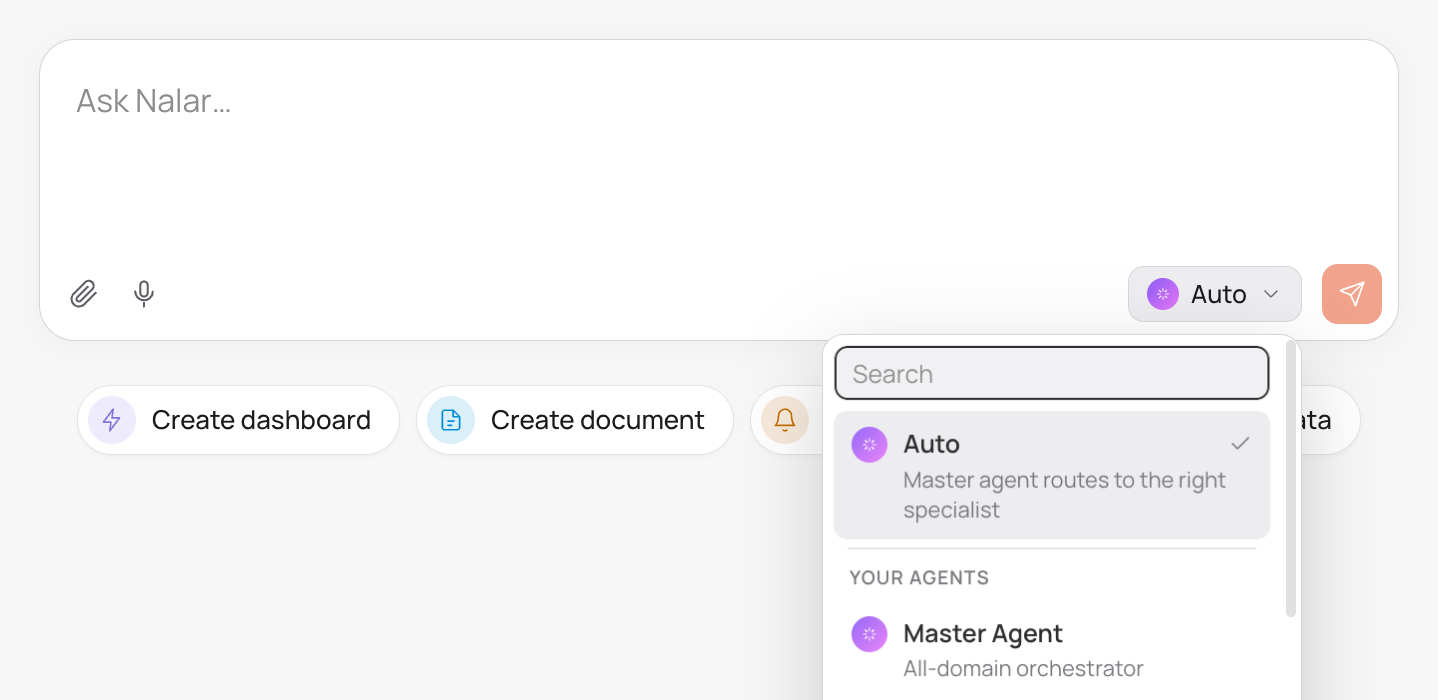
Auto is the default. For each message, Nalar looks at your question, the conversation so far, and the work the question needs, then sends it to an Agent that can do that work. A follow-up can go to a different Agent than the one before it if the question moves to another part of the business.
A specific Agent locks the conversation to that Agent. Every message you send goes to it until you switch back to Auto or pick another Agent. If that Agent can't do what you asked, Nalar tells you instead of switching to another Agent on its own.
Both options stay inside your access. The list shows only the Agents you can use, and Auto never sends your question to an Agent outside that list. Agents and your access explains what each role can use.
If the Agent you picked becomes unavailable to you, Chat won't send your message until you choose Auto or another Agent.
Which Agent answered
Above an answer, Nalar shows the Agent that answered it. The label appears on the first answer and again whenever a later answer comes from a different Agent.
When a question needs data from more than one department, Auto uses an Agent that covers all of them, such as the Master Agent for Workspace Owners and Admins. The activity and sources show every Agent whose data was used. If part of the question needs data you can't access, the answer covers the part you can and says which part it couldn't answer.
How Nalar reads dates
Data questions use the Jakarta calendar, whatever your own time zone is.
| You write | Nalar uses |
|---|---|
| "today", "this week", "this month" | The period up to today's Jakarta date |
| "this quarter", "this year", "year to date" | The period up to today's Jakarta date |
| "last month", "last quarter" | The full previous calendar period |
| "the last 3 months" | Calendar months, through today |
Weeks start on Monday. If a date range is unclear or doesn't make sense, such as an end date before the start date, Nalar asks you for a clear range instead of guessing.
Asking well
Ask the way you would ask a colleague who knows the data but not what you have in mind.
- Name the period. "Revenue in September 2026" leaves less to interpret than "recent revenue".
- Name the measure. Say whether you want revenue, units sold, or number of orders.
- Say how to break it down. "By region", "by product", or "top 10 customers".
- Ask for a comparison when you want one. "Compared with the same month last year."
What were total sales in September 2026 by region, compared with September 2025?Which 10 products had the largest drop in units sold this quarter compared with last quarter?Follow-up questions keep the context of the conversation, so you can narrow down without repeating yourself:
Break the North region down by sales rep.When the data isn't there
Nalar tells you when it can't answer instead of filling the gap.
- No matching data. An answer that finds nothing says so. It doesn't report a missing figure as zero.
- A source couldn't be reached. A timeout or an unavailable source is reported as a problem, not as proof that the data is empty. Try again later.
- A measure the data can't support. If you ask for an amount the data doesn't hold, such as revenue from a table that only has quantities, Nalar explains what is missing instead of inventing a value.
If you lose access to an Agent while it is answering, the answer stops and Chat shows a notice. Contact your Department Head or Support if you think you should still have that access.