Your first dashboard
Turn a business question into a saved dashboard, checking each metric before you create it.
You build a dashboard by describing what you want to monitor. Nalar proposes a set of metrics, checks each one against data you can access, and lets you review the list before anything is saved.
You need at least one Agent with the Dashboards capability. If Create dashboard isn't available, none of your Agents has it; ask your workspace admin.
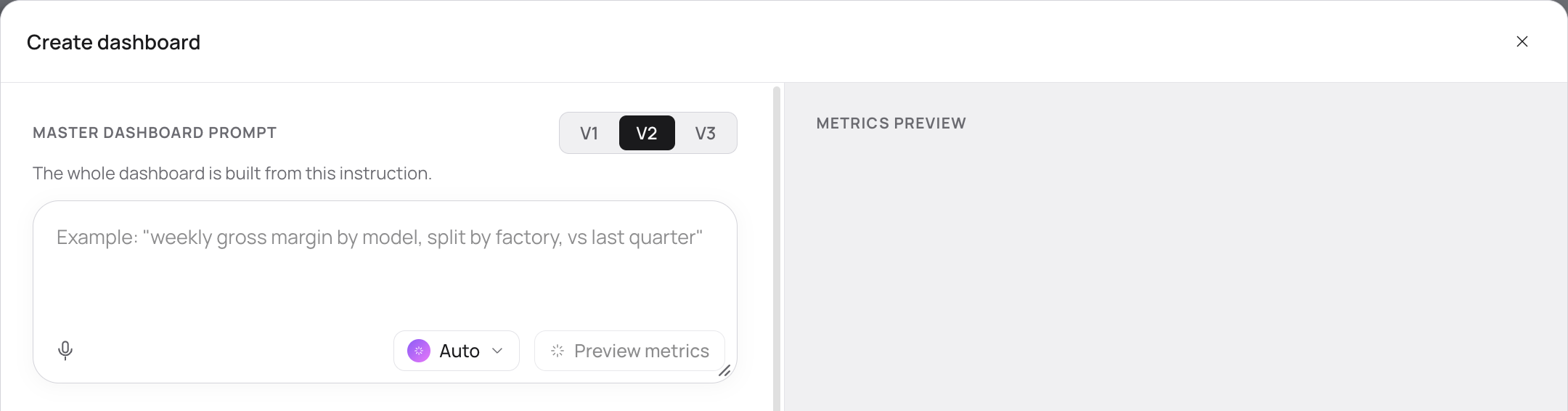
Describe what you want to monitor
Write one prompt that says what you want to track, for which period, and what you want to compare it with. Write it the way you would brief a colleague:
Monthly revenue and gross margin for the last 6 months, compared with the same months last year, broken down by product category.The more specific the question, the more useful the metrics Nalar proposes.
Choose who builds it
The Agent selector starts on Auto. Auto picks the narrowest Agent whose data can cover your request. It doesn't widen the request to the Master Agent on its own.
You can also pick one Agent yourself, including the Master Agent if you have access to it. The Agent you choose limits which data Nalar may use for this dashboard.
The composer also offers a version choice, with V2 selected. If you see other versions besides V1 and V2, keep the default unless your workspace admin tells you otherwise. V2 lays the dashboard out as charts, KPI tiles, and tables without long written explanations. V1 uses the earlier layout, which includes written findings and notes. The version is saved with the dashboard and never changes when you open it later.
Preview the metrics
Select Preview metrics. Nalar shows its progress as it works, then the metrics it proposes.
For each metric you can see what it means, where its data comes from, and its period and comparison period. When Nalar could check the value, it shows the value and the change next to the metric. When it couldn't, it shows no number at all rather than a placeholder.
The preview also tells you which parts of your question are covered by a metric and which aren't. Anything Nalar can't support is listed as a gap. Nalar doesn't swap in a different metric or quietly change what you asked for.
Review the list
Before you create the dashboard, you can:
- rename a metric so its name reads the way your team talks about it
- reorder the metrics
- remove a metric you don't need
- open a metric to inspect its details
To change the question itself, edit the prompt and select Preview metrics again. Any change to the prompt needs a new preview before you can create the dashboard.
Create the dashboard
Select Create dashboard. Nalar checks your access once more, lays out the page from the verified data, and saves one dashboard that you own. It starts private: only you can see it until you share it.
The saved dashboard keeps the metric names, order, and definitions you reviewed. If Nalar could support only part of your request, the dashboard shows the verified part and says what it doesn't cover.
If something goes wrong
- The preview fails or is interrupted. Your prompt and Agent choice stay, so you can revise and try again.
- A data source hasn't been scanned yet. Nalar says so, and that the source needs to be refreshed in Data & Knowledge before you retry.
- None of the metrics could be verified. Create stays unavailable. Revise the prompt or choose a different Agent.
- Your access changed between preview and Create. Nothing is saved, and your prompt is kept.
- The build fails after Create. The dashboard shows Build failed or Needs attention with a rebuild option. A build that produced no usable charts is never shown as a finished, empty dashboard.
Closing the composer before you select Create dashboard saves nothing.